Settings
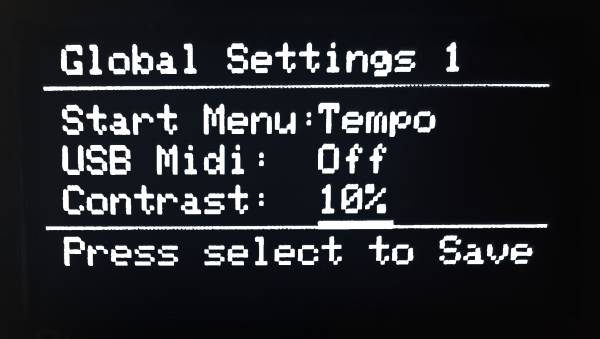
The following can be changed in the settings
- Start Menu
Choose default screen on startup:
Tempo, MIDI Split, MIDI Modify, MIDI Transpose, Arpegiattor , MIDI Dispatch or Settings
- USB MIDI
Configure USB MIDI behavior: Off Out Thru Thru + Out Note that Thru + Out might cause conflicting messages if you send duplicate information
- Contrast
Adjust screen contrast: 10 levels from 10% to 100%.
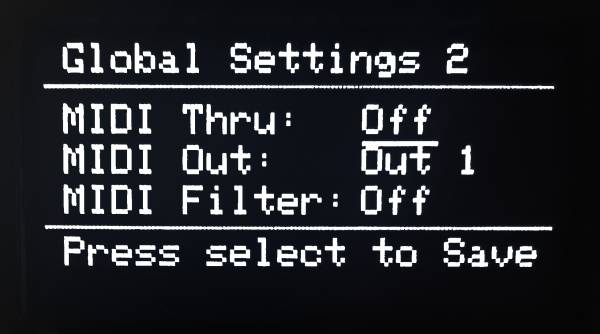
- MIDI Thru
On or Off
- MIDI Out
Out 1, Out 2, Out 1 + 2, Split Choose the Out for the 2 5-pin MIDI connections. In split mode, the low part is sent to Out 1 and the high part to Out 2.
- MIDI Filter
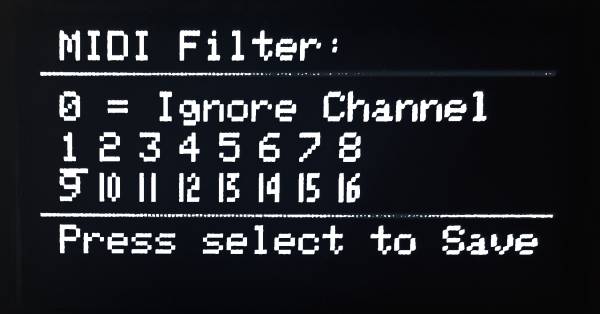
Filter out incoming messages from selected MIDI Channels. Any and up to all MIDI channels can be blocked.